 Stison Connector
Connect Stison
You tell Stison where to send its daily file. This is done once, on Stison's Onix/Dest tab, and you can do it yourself.
Stison deliver files over something called SFTP. Think of it as a locked post box on the internet: Stison have the address and a key, and drop the file in. Each shop using the app gets its own post box, so nobody else's files can end up in yours.
Step 1: get your login from the app
- In Shopify, open Stison Connector and go to Stison setup.
- Click Create login. The app fills in your host, port, user and password.
- Keep this page open. You'll copy from it in step 2.
The password is hidden behind dots. Click the eye icon next to it to show it, and click it again to hide it. You can come back and show it any time.
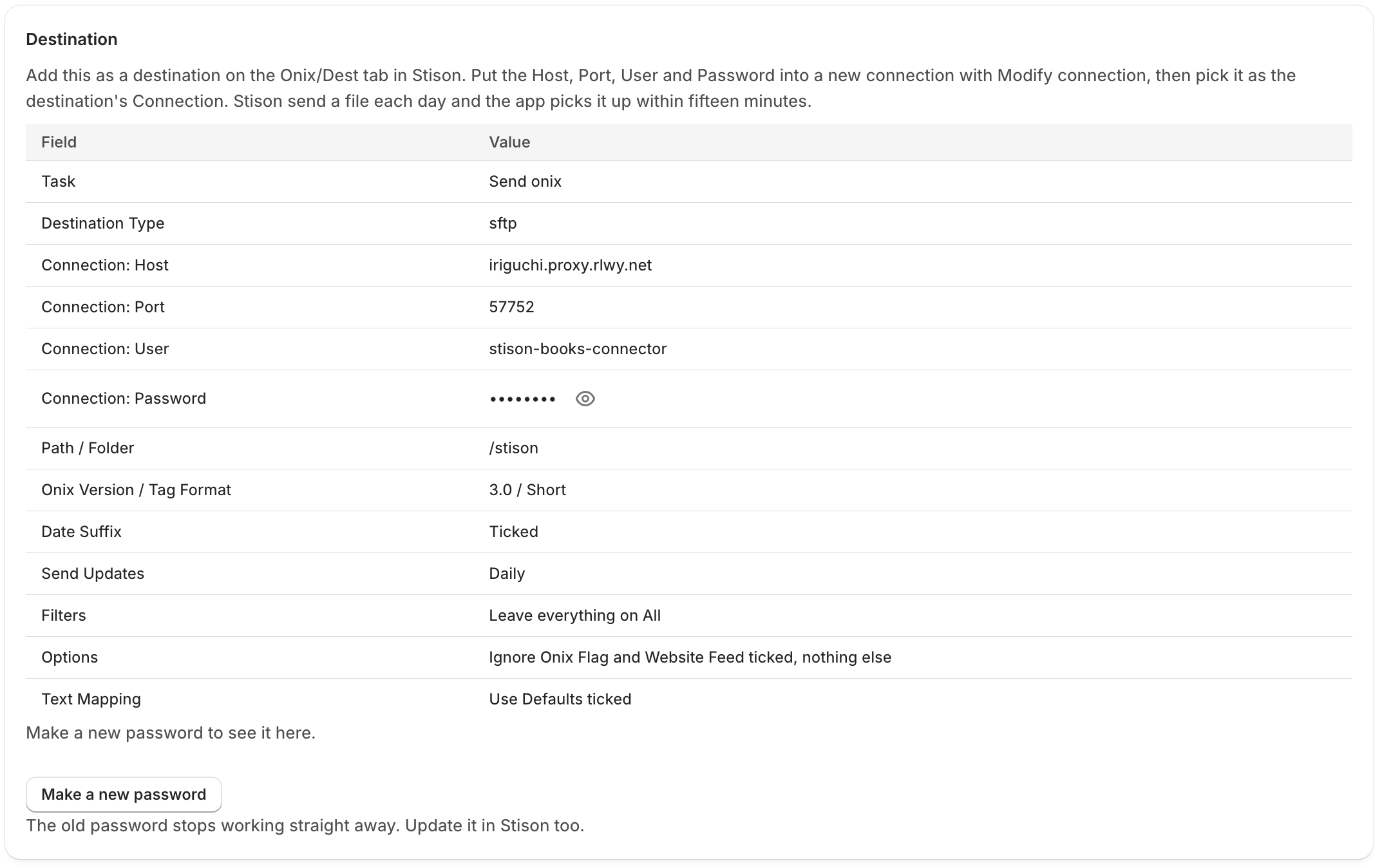
Step 2: add the destination in Stison
On Stison's Onix/Dest tab, add a new destination. The form has four tabs: General, Filters, Options and Text Mapping. Go through them in order.
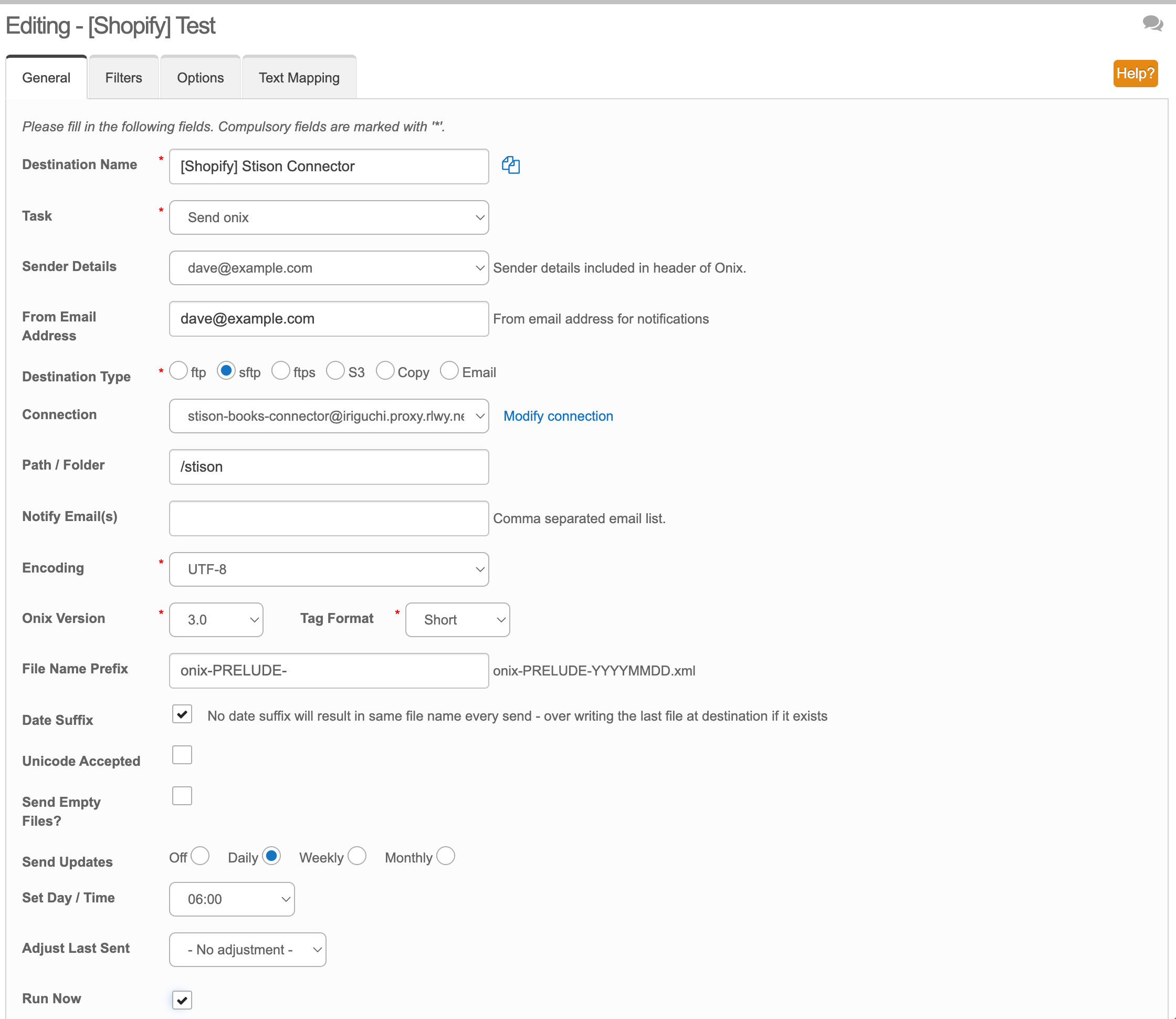
General
| Stison field | What to put |
|---|---|
| Destination Name | Anything you'll recognise, for example "[Shopify] Stison Connector" |
| Task | Send onix |
| Destination Type | sftp |
| Connection | Click Modify connection and add a new one with the Host, Port, User and Password from the app. Then pick it here. |
| Path / Folder | /stison |
| Encoding | UTF-8 |
| Onix Version | 3.0 |
| Tag Format | Short |
| Date Suffix | Ticked |
| Send Updates | Daily, at any time you like |
| Run Now | Ticked, so the first file goes straight away |
Leave the other fields as they are.
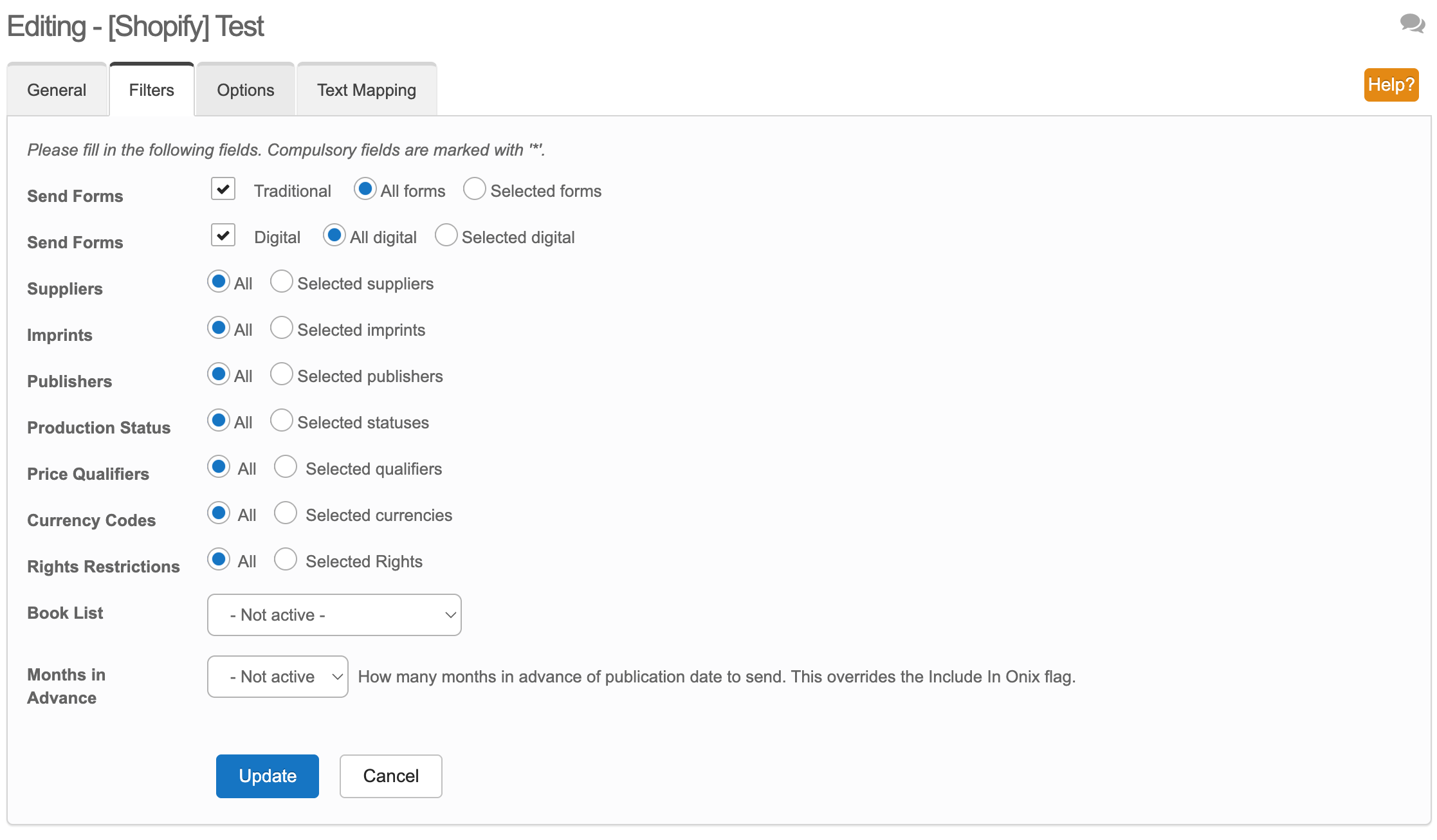
Filters
Leave everything on All, with both Send Forms boxes ticked.
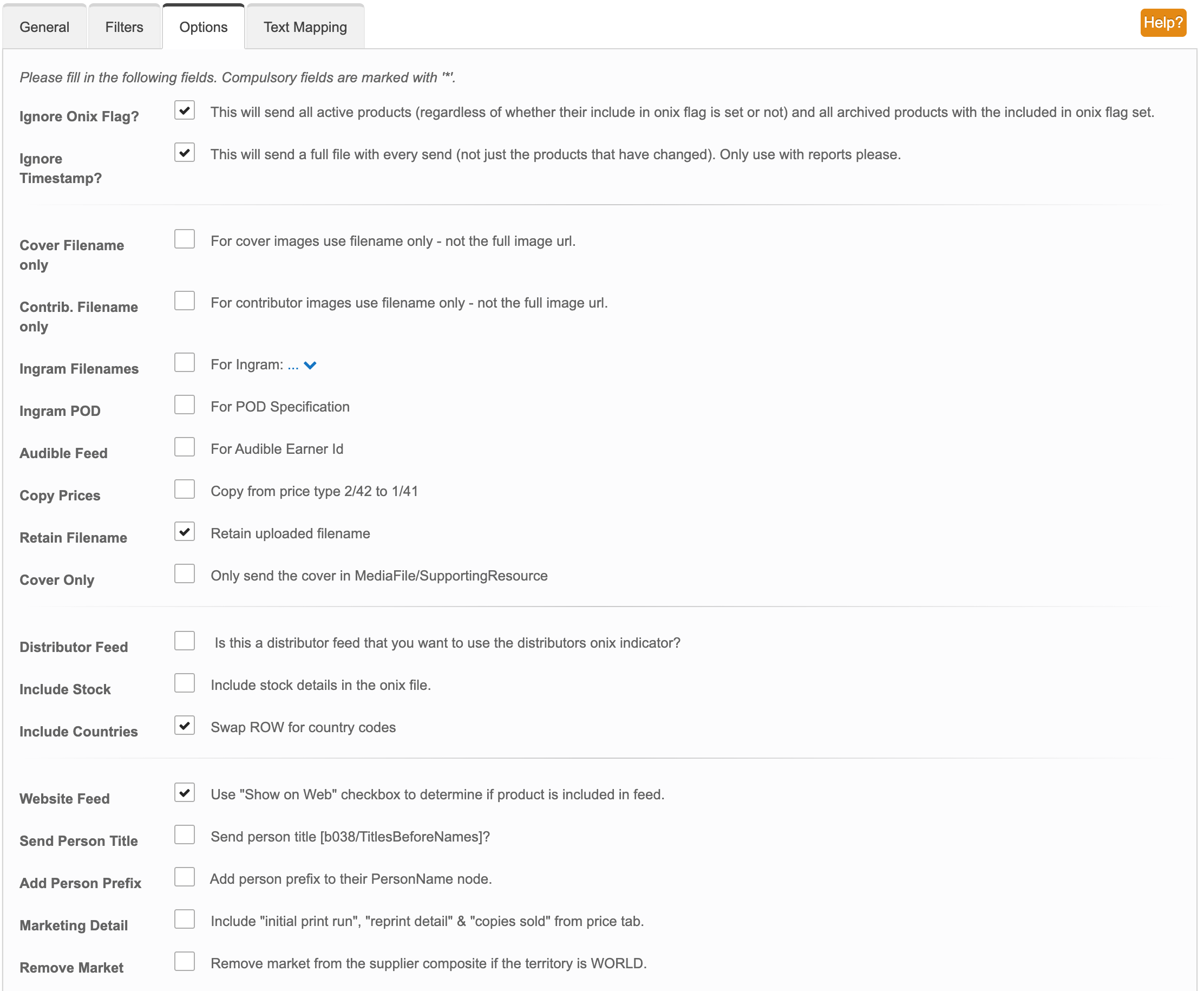
Options
Tick Ignore Onix Flag, Ignore Timestamp, Retain Filename, Include Countries and Website Feed. Leave everything else unticked.
- Ignore Timestamp makes Stison send your whole catalogue every day, not just what changed. Your shop then always matches Stison, and a title you take off sale in Stison comes off sale in your shop the next day.
- Include Countries makes Stison list the actual countries a book can be sold in, rather than "rest of world". The app needs the countries to work out where each edition can be sold.
- Website Feed makes Stison leave out any title you haven't ticked "Show on Web" for. The app takes everything it's sent, so this is the only place that filter happens.
Text Mapping
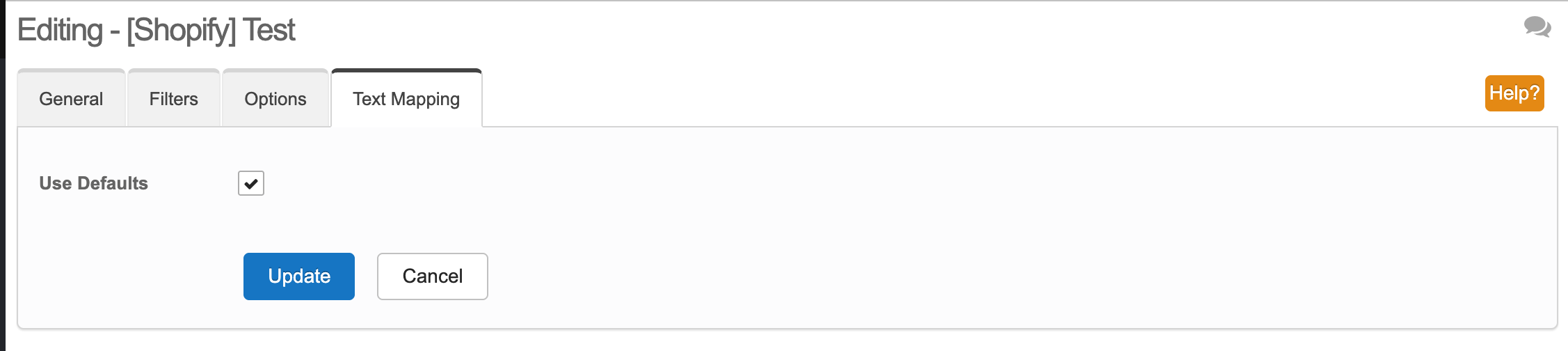
Tick Use Defaults, then click Update to save the destination.
Sending a file now
Every file holds your whole catalogue, so there's nothing to catch up on: tomorrow's send puts everything right. If you don't want to wait, tick Run Now on the destination in Stison and save.
Forgot the password
Open Stison setup in the app and click the eye icon next to Password.
If you'd rather change it, click Make a new password and put the new one into the connection in Stison. The old password stops working straight away, so Stison can't deliver until you've updated it there.
Checking it worked
Stison send once a day, and the app checks for new files every 15 minutes. After Stison's next send, the file shows under Recent files on the app's dashboard. Until then the dashboard says "No files from Stison yet."